Train Your Chatbot with Multiple Data Sources
Build a smarter AI chatbot by training it with websites, documents, and custom knowledge. Deliver accurate, context-aware responses using all your business data in one place.
Training Your Chatbot for Accurate Responses
A powerful chatbot is only as good as the data it learns from. By training your chatbot using multiple sources, you ensure it delivers accurate, relevant, and context-aware responses across different user queries.
Combining structured and unstructured data—like websites, documents, and custom content—allows your chatbot to act as a true knowledge assistant for your business.
Start by identifying your key knowledge sources: product pages, help documentation, FAQs, and internal guides. These form the foundation of your chatbot’s intelligence.
Upload and organize your data into different training modules. This helps the chatbot retrieve the most relevant information quickly and improves response quality.
Continuously refine your training data based on user interactions to improve accuracy and reduce incorrect or incomplete responses.
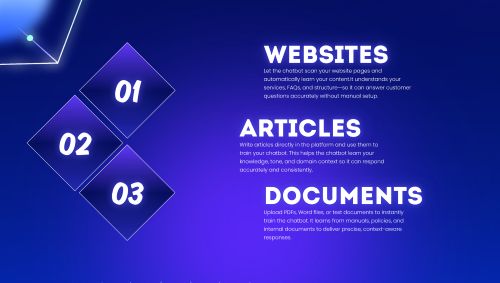
Train Your Chatbot in 3 Different Ways
Websites
Scan your entire website content in minutes.
Articles
Create custom articles for training—write and feed content directly into the chatbots knowledge.
Documents
Upload your documentations, manuals and presentations to chatbot.
Complete Training Guide
1. Train Using Your Website
- Dashboard → Train Data → Your Chatbot → Add websites
- Paste Url and enable full-site or specific page crawling, by selecting - Nested/Single page
- Select relevant pages (docs, pricing, FAQs)
- Start training and index content
2. Add Custom Knowledge by Writing Article
- Dashboard → Train Data → Your Chatbot → Article
- Create custom Q&A entries
- Define specific responses for key queries
3. Train Using Documents
- Upload PDFs, Word files, Excel, or presentations
- Use for manuals, policies, or internal knowledge
- Ensure content is well-structured and readable
- Avoid uploading duplicate or redundant documents.
Everything You Need to Build Smart Chatbots
Powerful features designed for simplicity, scalability, and performance.
Multiple Bot Roles
Create support, sales, FAQ, or fully custom AI assistants.
Smart Training
Train using websites, documents, or custom content instantly.
Instant Deployment
Embed chatbot into your site with a simple script.
Custom UI
Match chatbot design with your brand effortlessly.
Scalable
Handle thousands of conversations without performance issues.
Real-time Responses
Deliver fast, context-aware replies to users instantly.
Ready to Build Your Chatbot?
Start today and transform how you engage with your users.
Create Your Chatbot